Design Custom T-Shirt Graphics Fast With a Free AI Image Generator
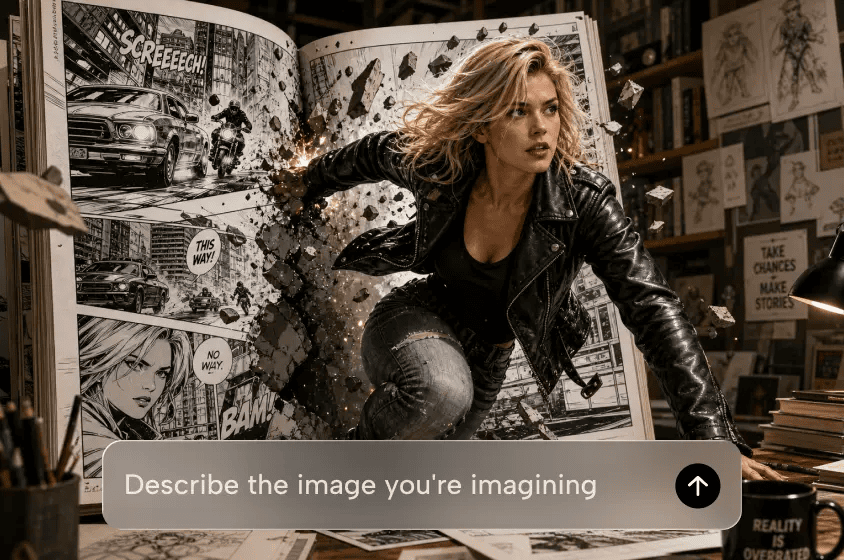
Personalised T-shirt graphics are key to showcasing individuality, branding, and memorable merchandise. Dreamina AI simplifies the process of creating original artwork for apparel designs by utilizing text prompts, reference images, and creative editing features. Illustrations, symbols, mascots, lettering, and decorative patterns can be created without starting each idea from scratch. These designs are ideal for personal attire, event shirts, creator products, and small fashion lines. But creating an appealing picture is just one step in the process. Apparel graphics also need to be composed with thought, detailed enough to be legible, colored appropriately, and ready for the type of printing method that will be used.
Choose a Graphic Direction Before Generating Artwork
First, determine the message, audience, and purpose for your T-shirt design. While an AI Image generator can transform a detailed description into visual concepts, clear creative decisions enhance direction. Select a single illustration, typographic composition, emblem, mascot, or repetition of a pattern. Then, think about the color of the garment and how the artwork will stand out against the color of the fabric. Retro screen-print designs work well for vintage products, and minimalist line art designs offer a cleaner look. Geometric illustrations add a modern look, while distressed lettering provides an aged look. Choose the location of the design: front chest, oversized back, pocket, or sleeve. Decide if you require a piece of artwork that is isolated with transparency or if you want a full mockup with the graphic on the clothing.
Use Prompting Techniques to Create Strong Apparel Graphics
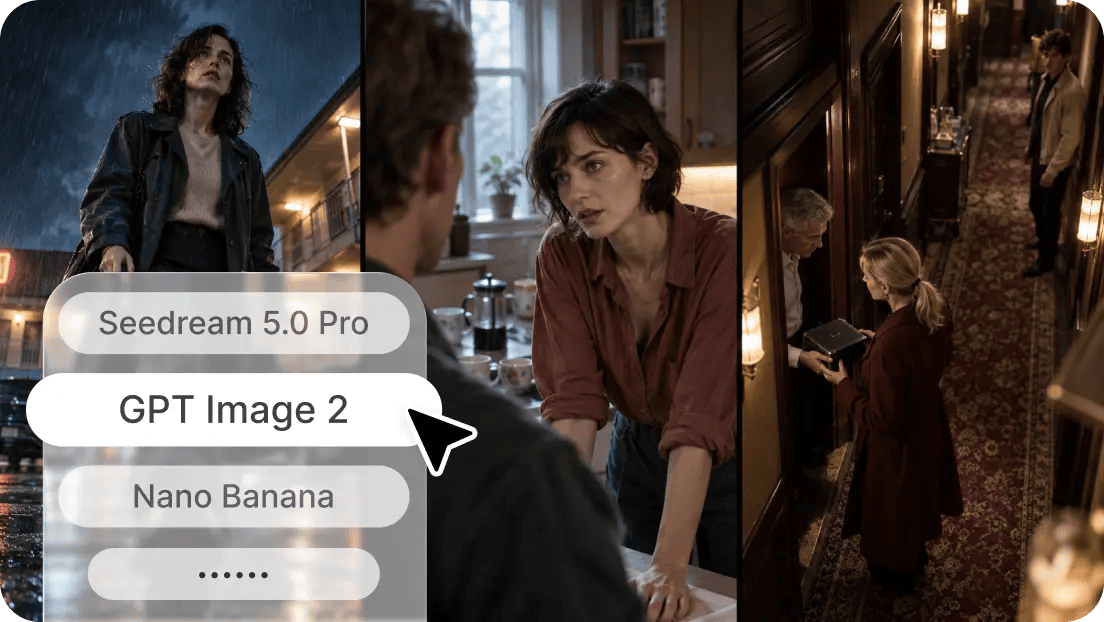
A focused prompt is used to guide Dreamina AI to understand the intended shape, style, and visual hierarchy of the design. For each position, describe the silhouette as circular, compact, vertical, symmetrical, or expansive. Use only a few colors that are compatible with one another and are in contrast with the shirt. Identify a style of illustration, for example, vintage poster art, hand-drawn ink, strong geometric forms, or screen print graphics. Ask for lots of negative space between key elements and decorative details. When describing typography, discuss the weight of the lettering, its layout, tone, and how it relates to the illustrations. Request art to be centered and not include mock-ups of clothing, backgrounds, or anything else that doesn’t need to be there. When text is important, be sure to include the exact wording, but check spelling and letter shapes later.
Steps to Design Custom T-Shirt Graphics Fast With a Free AI Image Generator
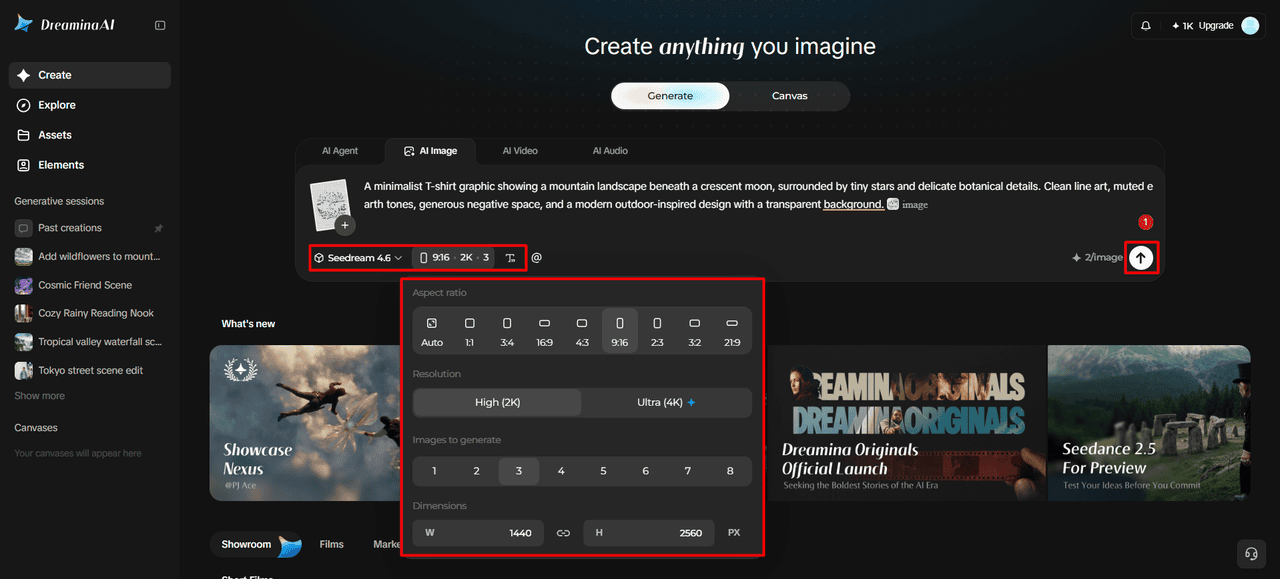
Step 1: Start your design and describe the graphic
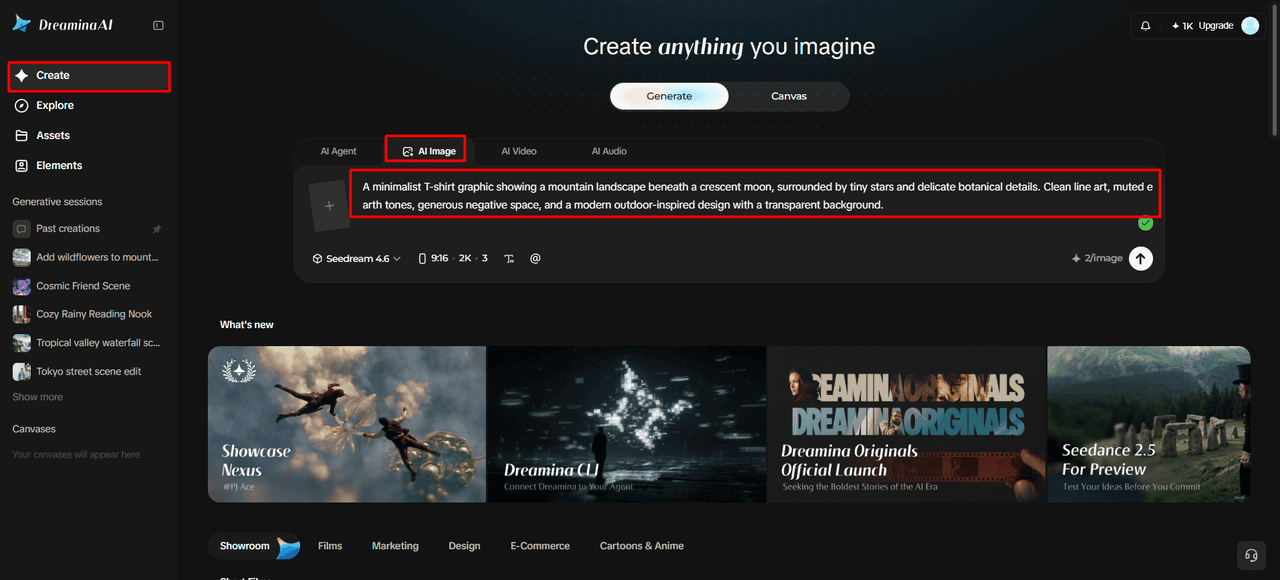
- First, sign up or log in to Dreamina to start designing your custom T-shirt graphic.
- Next, click the “Create” tab on the left menu and select the “AI Image” option.
- Later, enter a detailed text prompt describing the slogan, style, and mood of your design. Include information on image elements, theme, and concept so the artwork feels clear and planned.
Step 2: Pick a style and set up the print format
- Next, choose an image model from the options at the bottom of the dialogue box.
- You can choose Seedream, GPT Image, or Nano Banana, whichever fits your shirt style best.
- Provide a reference image to Dreamina so your final graphic looks more precise and natural.
- Then, set the custom aspect ratio and resolution from the “Aspect ratio” and “Resolution” tabs.
- Open the “Images to generate” tab to pick how many designs you want to create. Then use the “Dimensions” tab to set custom dimensions that fit your shirt print area.
- To add a slogan or name, use the “Draw text on image” tab right away.
- Finally, click the “Generate” tab to begin the creation process for your new shirt graphic.
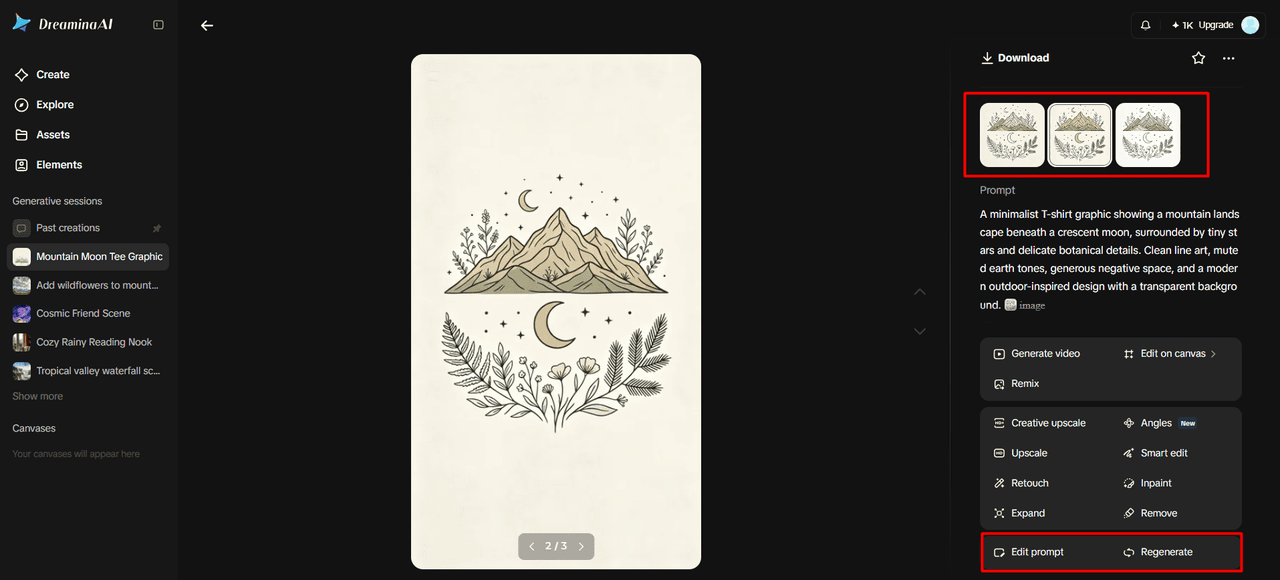
Step 3: Refine the graphic and export
- Dreamina delivers the required number of drafts, so you can easily review each shirt concept. If the results disappoint you, choose “Edit prompt” or “Regenerate” to refine the generated results.
- Next, upscale the generated image using “Creative upscale” before you send it for final print.
- Moreover, apply “Retouch” to correct, clean up, or enhance the details of the selected graphic.
- Choose “Remove” to take anything unwanted out of your graphic, such as small stray marks. Alternatively, use the “Expand” tab to extend the canvas around your artwork for larger prints.
- You can continue creating with your generated image by opening the “Generate video” tab to make a video.
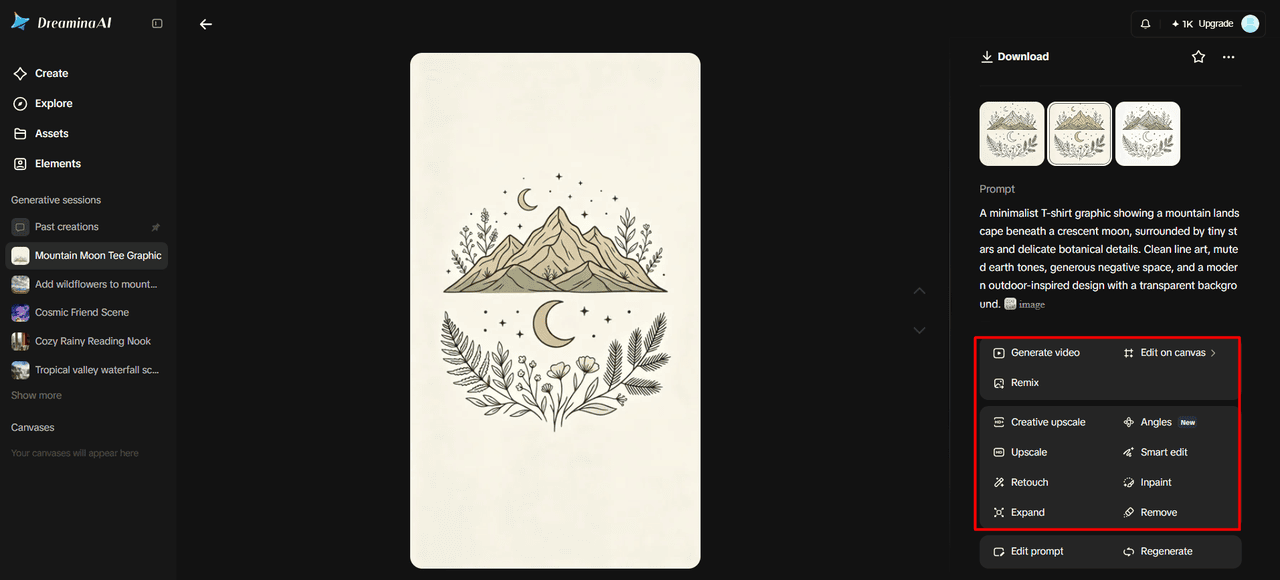
- Dreamina gives you complete freedom to edit the graphic in exactly the way you like.
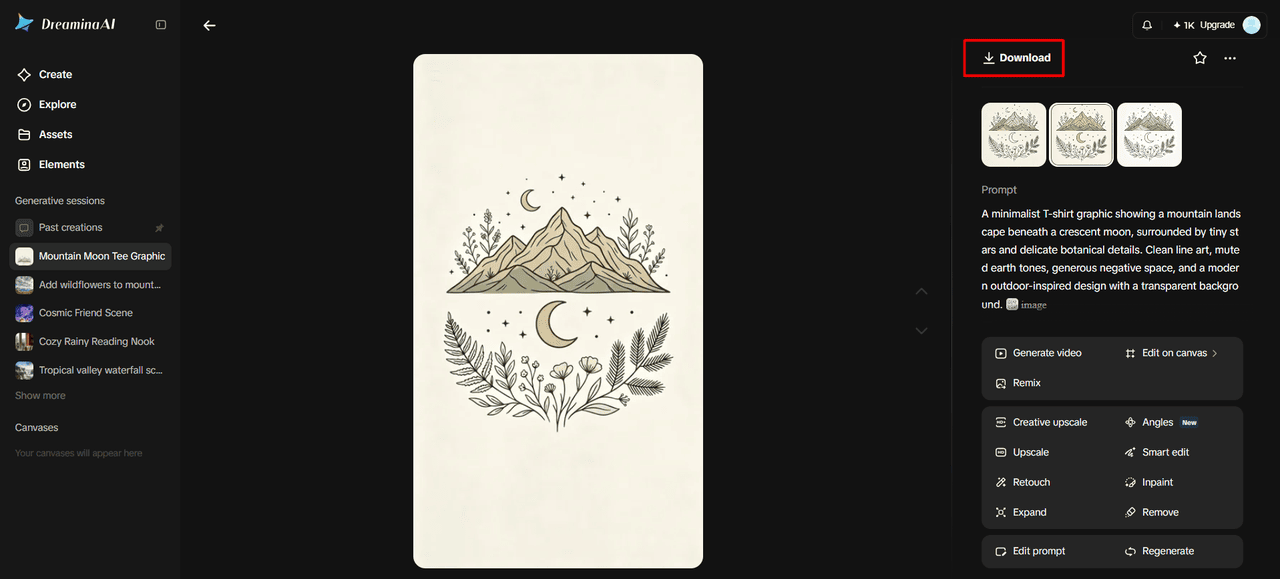
- Finally, click the “Download” tab present at the top right of the main editing interface. It saves the image file on your local device for printing or later sharing online.
Create Distinct T-Shirt Graphics With Dreamina AI’s Creative Tools
Dreamina AI combines several image models, enabling the exploration of various interpretations without the need to switch between models. The different models might render illustration style, text, and visual composition differently, so check against the brief. If available, its AI creative agent can produce up to 40 visual directions from just one instruction. Discover distressed vintage badges, futuristic symbols, minimalist linework, and expressive illustrated mascots. Reference images can be used to set a basic direction, and localized editing can be used to modify selected shapes, colors, or decorative elements. Make sure to differentiate between art and mockups – a shirt preview is good for placement, but isolated graphics are typically better for creating dedicated print files.
Make Typography, Color, and Layout Work on Fabric
Good visual hierarchy will make it possible for the viewer to identify a graphic from varying distances. Ensure that the primary element (the main illustration or headline) is given a prominent place, and then tone down the secondary elements (those that are competing for attention). Review lettering thickness, spacing, contrast, and legibility, particularly for designs with curved lettering or decoration. Depending on the production method, limited palettes can make the artwork easier and impact printing decisions. Create a balanced composition using alignment, symmetry, asymmetry, and negative space. Before making up the artwork, think about the color and texture of the garment, as fabric will alter the appearance of the artwork. Carefully read through generated text and fix any incorrect letters or spelling in another design tool as needed.
Prepare AI-Generated Artwork for Practical Printing
Consult the provider for file format, dimensions, resolution, transparency, and color requirements before printing. Resolution refers to the number of pixels, and physical print size indicates the size of the art on fabric. Always check the picture at the picture size, not just on screen. Clear backgrounds can make isolated graphics look good over various shirt colors, though make sure that edges don’t have unwanted halos. Look for details that may not show up on the print in fine lines, gradients, small decorations, and changes in color. Upscaling does not make a vector drawing or a perfect separation; it only makes larger pixels. If you’re working on a commercial project, check copyright, trademark, font licensing, and reference-image permissions prior to publishing or selling designs.
Conclusion
Dreamina AI facilitates a practical workflow from concept development to prompt writing, image generation and refinement, and export. Experimental graphics are transformed into stronger apparel designs with thoughtful contrast, typography, composition, and placement of garments. It is still important to make final checks, as the images generated could still require some corrections before printing. Free daily credits could be used to experiment, depending on the availability of the feature and account conditions. Use AI tools for creative ideas and meticulous production verification to ensure unique T-shirt designs align with your audience and printing needs.
-
-
Tiffany Stratton Ass Photos
Tiffany Stratton is a badass with a great ass. Check out these hot photos of the WWE Superstar's sexy booty on display. Tiffany Stratton is an American professional wrestler, amateur bodybuilder,...
Hot Zelina Vega Photos
See these hot photos of Zelina Vega, an American professional wrestler who performed for WWE from 2017 to 2026. Following her departure from WWE in April 2026, she rebranded herself...
Sol Ruca Ass Photos
Sol Ruca is a badass with a great ass. Check out these hot photos of the WWE Superstar's sexy booty on display. Sol Ruca is an American professional wrestler, below-average surfer,...
-
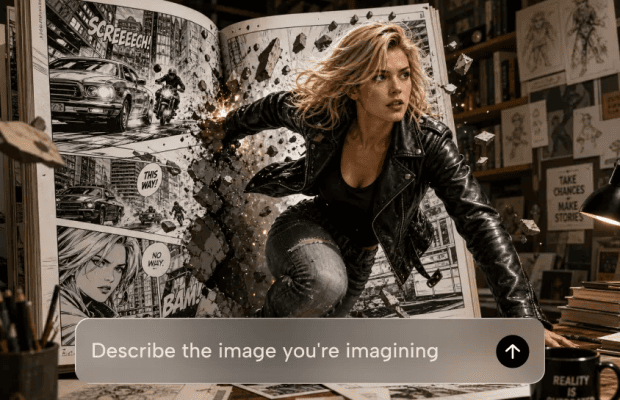
Design Custom T-Shirt Graphics Fast With a Free AI Image Generator
Personalised T-shirt graphics are key to showcasing individuality, branding, and memorable merchandise. Dreamina AI simplifies the process of creating original artwork for apparel designs by utilizing text prompts, reference images,...
Create a Talking Detective Avatar for a Noir Crime Story
The city never sleeps, and neither does your detective. Noir lives on mood: a flickering streetlamp, a cigarette that never gets lit, and a narrator who sounds like he’s seen...

Everyday Signs That Your Hormones May Be Changing
Hormones can have a surprising influence on everyday life. They are involved in many of the body’s essential processes, including the menstrual cycle, sleep, energy, mood, appetite, and reproductive health....


0 comments